
How to Order Takeout for a Group Without Missing Items
On this page
- Quick answer
- Choose a restaurant that fits the order
- Collect everyone's choices in one format
- Handle allergies and dietary requests carefully
- Submit one clean, verified order
- Check the order at pickup
- Distribute food without confusion
- Settle payment fairly
- Frequently asked questions
- Conclusion and group order checklist
Quick answer
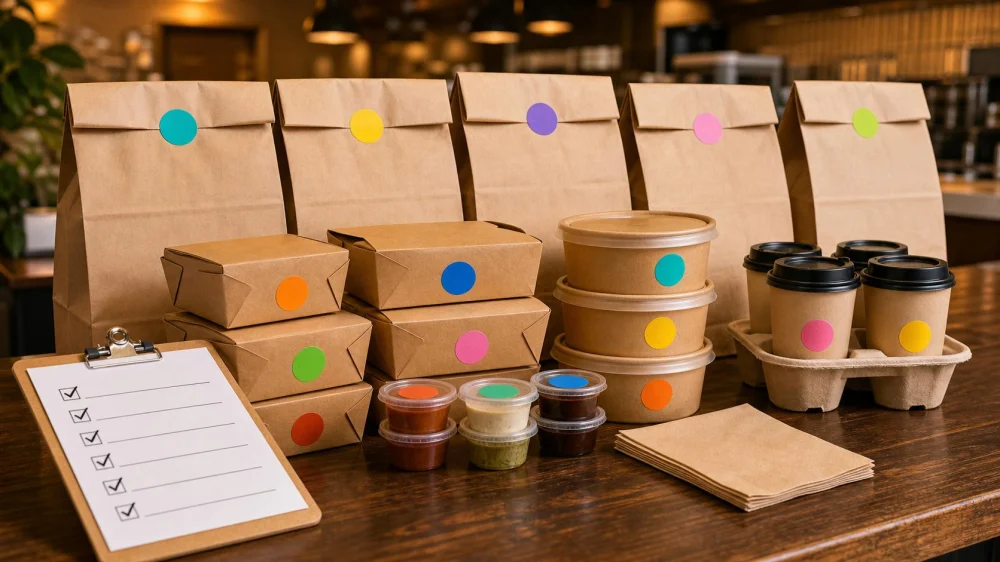
Use one coordinator, one shared order sheet, and one final checkout. Record each person's name, exact menu item, size, options, substitutions, allergy information, and price. Verify the restaurant location, pickup time, quantities, fees, and confirmation before submitting. At pickup, count bags and containers, match labels to the receipt, collect drinks and condiments, and report problems before leaving when practical.
Choose a restaurant that fits the order
A good group-takeout restaurant needs more than a popular menu. Check whether it can handle the party size, pickup time, dietary needs, packaging, and budget. A small kitchen may need advance notice for a large order even when online ordering accepts it.
Before collecting choices, confirm:
- The exact restaurant location and current menu
- How far ahead a large order should be placed
- Whether individual names can be added to items
- Whether items travel well for the expected distance
- How allergy questions and substitutions are handled
- Whether utensils, serving tools, plates, and condiments are included or optional
- Pickup, curbside, delivery, parking, and cancellation procedures
Use the restaurant's official ordering channel when possible. Third-party menu prices, availability, modifiers, and hours can differ.
Collect everyone's choices in one format
Do not build a large order from scattered texts, voice messages, and hallway conversations. Use a simple shared table with one row per person:
- Name
- Menu item and quantity
- Size or protein choice
- Included side and dressing
- Approved modifiers
- Allergy or dietary note
- Drink
- Displayed item price
Copy menu wording exactly. “Chicken bowl, no onions, sauce on side” is more reliable than “my usual bowl.” If the menu requires a choice, do not leave it blank and expect the coordinator to guess.
Set a firm response deadline before the order must be submitted. After that time, late participants can place their own separate order unless the restaurant and coordinator agree to a change.
Handle allergies and dietary requests carefully
A preference, intolerance, religious restriction, and food allergy are not interchangeable. The diner should communicate the issue directly or provide precise language for the coordinator to relay. Do not promise that a restaurant can prevent cross-contact.
- Review the restaurant's current allergen information and contact it before ordering when needed.
- Identify the allergen and affected item clearly; avoid vague labels such as “allergy-friendly.”
- Ask whether the kitchen can accommodate the request and how the item will be identified.
- Keep the restaurant's answer with the order notes.
- At pickup, confirm the labeled package with staff without opening or swapping its contents.
- Let the diner make the final decision about whether the response meets their needs.
For a severe allergy, relying on a large third-party group order may not be appropriate. The person with the allergy can speak with the restaurant directly and choose a separate option if uncertainty remains.
Submit one clean, verified order
Before checkout, the coordinator should compare every cart line with the shared sheet. Check:
- Restaurant address and pickup or delivery method
- Date, local time, and time zone if the group is traveling
- Item counts, duplicates, sizes, sides, sauces, and drinks
- All requested modifiers that the menu actually accepted
- Tax, service fees, delivery fees, discounts, and tip
- Contact name and phone number
- Special pickup instructions and order deadline
Take a screenshot or save the confirmation after submission, but keep the actual confirmation email or app record too. Do not submit duplicate orders because the first confirmation is delayed; call the restaurant or platform to verify status.
For very large orders, confirm directly that the restaurant received it and understands the pickup plan. Avoid calling during the busiest service window when the question can be answered earlier.
Check the order at pickup
Bring the order name, confirmation number, receipt, and a container or insulated carrier appropriate to the food and trip. Park and wait where instructed without blocking delivery drivers or restaurant traffic.
Before leaving, when the restaurant permits:
- Count the number of bags, boxes, drink carriers, and large trays.
- Compare exterior labels and receipt lines with the group sheet.
- Confirm separately packed allergy orders with staff.
- Collect cold drinks, hot items, desserts, sauces, utensils, and serving tools.
- Check that lids are secure and containers are upright.
- Ask about a visible discrepancy calmly and specifically.
Do not open sealed allergy meals or unpack every container on a crowded counter. The goal is a respectful count and label check, not delaying restaurant operations.
Distribute food without confusion
At the destination, create separate areas for labeled meals, drinks, shared sides, and condiments. Read the label before moving an item and keep allergy orders physically separated. Ask people to collect only the meal under their name until all individual orders are accounted for.
For shared trays, decide in advance who supplies plates, serving utensils, napkins, and cleanup materials. Keep hot and cold items in the conditions recommended by the restaurant, and follow current food-safety guidance for transport and leftovers rather than leaving food out throughout a long meeting or event.
If something is missing, photograph the receipt and remaining labels, identify the exact item, and contact the restaurant or ordering platform promptly. Ask what remedy is available; do not demand that another group member surrender their correctly labeled meal.
Settle payment fairly
Choose the cost-sharing method before ordering. Common approaches include:
- Each person pays their item price plus a proportional share of tax, fees, and tip
- The group divides the total equally after everyone agrees
- A host covers a fixed amount and participants pay the remainder
- An employer or event budget covers only approved items and limits
Keep discounts and credits transparent. If a coupon applies to the whole order, decide whether it reduces everyone's share or belongs to the person who supplied it. Do not surprise the coordinator with payment-app fees or delayed repayment.
A spreadsheet can calculate proportional shares, but rounding may leave a small difference. Assign that difference clearly rather than repeatedly recalculating pennies.
Frequently asked questions
How early should I place a large takeout order?
Ask the restaurant. Lead time depends on order size, menu, staffing, and meal period. Some catering-style orders require much more notice than ordinary takeout.
Is one large order better than many small orders?
One coordinated order can simplify pickup, but it increases checking and payment work. Separate orders may suit complex diets or individual payment, provided the restaurant allows coordinated pickup.
Should everyone send a screenshot of their item?
A screenshot can help, but the coordinator still needs searchable text with exact item, options, quantity, name, and price. Menu availability can change before checkout.
What if a requested substitution is unavailable?
Collect one approved backup from each person before ordering. If none is listed, do not improvise for allergies or major dietary needs.
Who should call about a missing item?
The person whose name and payment are on the order is usually best positioned to contact the restaurant or platform, with the receipt and exact missing line ready.
Conclusion and group order checklist
Choose one coordinator, one current menu, one shared format, and one verified cart. Communicate allergies directly, lock changes at a deadline, save the confirmation, count packages at pickup, and distribute by label. With a clean record and a single point of contact, a group order becomes easier for diners and the restaurant alike.

 Joseppi's Pizza - Hilltop4.0 (664 reviews)
 Jeffrey's Grocery4.0 (876 reviews)
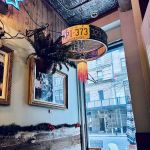 The Grey Dog - Union Square4.0 (1617 reviews)
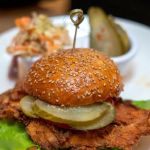 Spin Chicken Rotisserie0.0 (0 reviews)
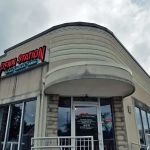 Penn Station East Coast Subs3.0 (714 reviews)
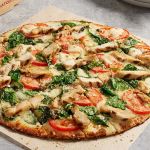 Donatos Pizza3.0 (344 reviews)
 Seafood Places: Tips, Trends, and Secrets to Finding the Best Spots
 Vegan Restaurants Every Food Lover Should Know: Top Picks for Plant-Based Dining
 Why Snack Ideas That Will Change Your Life – Healthy, Fun, and Nutritious
 Your Ultimate Guide to Hidden Gem Restaurants
 How to Find Street Food That Are Totally Instagrammable
 Best Sushi Spots With Luxury Omakase Experiences in the U.S.